Collection: Photo Calendars

Personalized photo calendars to organize your year with your favorite memories. Available in wall, desk, and custom sizes.

Find the Calendar that Fits Your Life

Celebrate your favorite faces, places, and moments all year long with beautifully printed, customizable calendars. Whether you’re organizing your days or gifting something meaningful, Mimeo Photos offers two premium formats, made to inspire every time you turn the page.
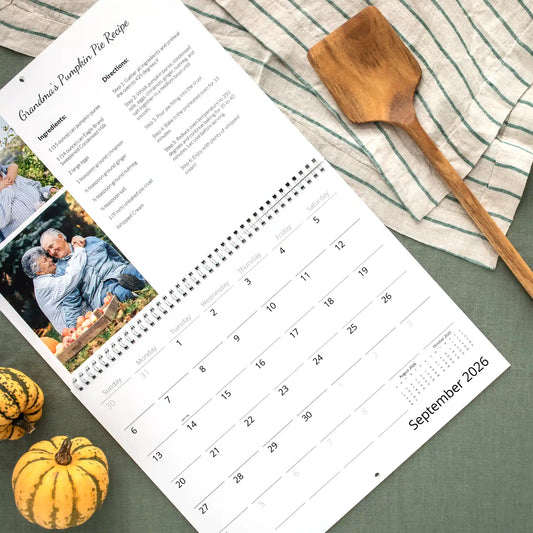
Wall calendar opened up to October 2025 with a photo of a woman and child on a gray wall.

Wall Calendar

Make a statement with a calendar that’s as practical as it is personal. Customize each month with your favorite photos, meaningful dates, and stylish layouts.
Easy-to-hang

  • Printed on smooth, heavyweight paper
  • Personalize special dates with your own photos and text
  • Includes regional holidays
  • Available in 12- to 24-month formats
  • 13” x 10”
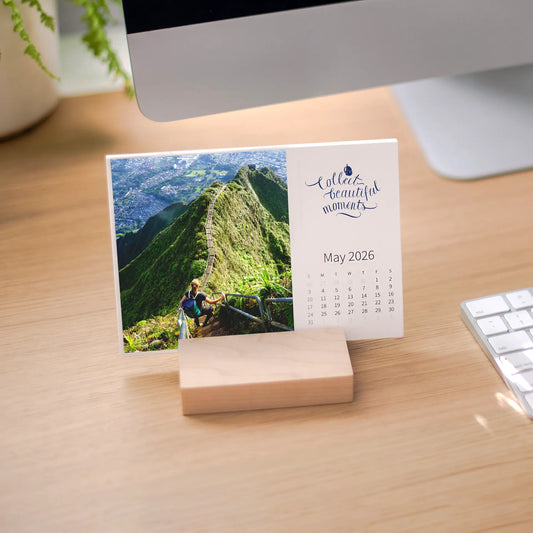
Desk calendar for August 2026 with scenic and romantic images of a couple exploring the city on a white background

Desk Calendars

Designed to elevate your home or workspace, our desk calendars include 12 individual photo cards printed on luxurious paper, displayed in a modern maple wood stand.

  • Perfectly sized to sit on your desk
  • Printed on Mohawk Superfine Eggshell stock
  • Add your own photos and text
  • Sleek, modern design
  • 7"x 5"

Frequently Asked Questions

Have Questions About Our Photo Calendars

How do you create a custom photo calendar?

Creating a custom photo calendar with Mimeo Photos is simple:

  • Choose your calendar type and start month.
  • Select from over 50 design themes.
  • 4000+ design accents to add art, illustrations, and hand-lettered text
  • Upload your favorite photos and arrange them for each month.
  • Add personal events and customize dates with images.
  • Preview your design and place your order.

How do I make a calendar with my iPhone pictures?

With the Mimeo Photos app for iPhone, you can easily create a photo calendar using your iPhone pictures:

  • Open the Mimeo Photos app and select “Calendars.”
  • Choose a start month, layout, and theme.
  • Upload photos directly from your iPhone.
  • Drag and drop images onto each month’s page.
  • Add special events and personalize your dates.
  • Review your design and order your custom calendar.

What customization options are available for photo calendars?

At Mimeo Photos, you can personalize your calendar by selecting the start month, choosing from over 50 design themes, and adding your own photos and special events to each month.

Can I add personal events and photos to specific dates in my calendar?

Yes, you can add special events and associate specific images with dates, making your calendar even more personalized. Learn more about calendar features

What sizes and formats of calendars are available?

Mimeo Photos offers wall calendars in a 13 x 10-inch format, available in 12- to 24-month options.

Can I start my calendar from any month of the year?

Yes, you can choose any month as the starting point for your custom calendar.

What type of paper is used for photo calendars?

Mimeo Photos calendars are printed on high-quality, thick paper with a smooth finish to enhance the look of your photos.

How long does it take to print and ship a custom calendar?

Production time is typically a few business days, and shipping times vary depending on your location and the shipping method chosen.

Can I create a photo calendar using the Mimeo Photos app?

Yes, you can design and order your custom photo calendar directly through the Mimeo Photos app on Mac or iOS devices.